 Official Site of The State of New Jersey

New Jersey Web Presence Hub
Learn How Technology Can Enable Disabled People
On this page:
Technology Removes Barriers
When websites and apps are designed accessibly, technology gives disabled people independence and equal access. The right tools make it possible for everyone to work, learn, shop, and connect online.
Good design benefits everyone—not just disabled people.
Common Enabling Technologies
- Screen Readers
Software that reads website content aloud. Used by people who are blind or have low vision. - Keyboard Navigation
Allows people to browse and interact without a mouse. Essential for people with limited mobility or who use alternative input devices. - Captions and Transcripts
Text versions of audio content. Helps deaf and hard of hearing people, and anyone in sound-sensitive environments. - Voice Control
Lets people navigate and type using their voice instead of a keyboard or mouse. - Screen Magnification
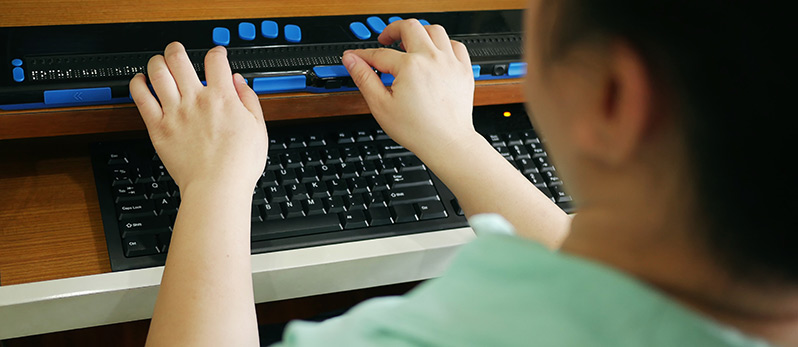
Enlarges content on screen. Used by people with low vision. - Alternative Input Devices
Includes switch controls, eye-tracking systems, and adaptive keyboards for people with limited mobility.
How People Use These Tools
A blind accountant uses a screen reader and keyboard shortcuts to review spreadsheets and file taxes for clients.
A deaf student watches lecture videos with captions to keep up with coursework.
Someone with arthritis uses voice commands to send emails and browse news sites without typing.
A developer with limited hand movement codes using an adaptive keyboard and voice control software.
Why Accessible Design Matters
Technology only works when digital content is built accessibly.
A screen reader can't describe an image without alt text. Captions don't exist unless someone creates them. Voice control fails on websites that aren't keyboard-accessible.
The barrier isn't the disability—it's the design.
When you build accessible websites and apps, you let disabled people use the technology that works for them.
Built-In Accessibility Features
You don't always need specialized software. Many devices include accessibility features:
- Smartphones and tablets: VoiceOver (iOS), TalkBack (Android), voice control, magnification
- Computers: Narrator (Windows), VoiceOver (Mac), high contrast modes, text-to-speech
- Browsers: Zoom, reader mode, custom fonts and colors
These features are free and ready to use.
Try It Yourself
The best way to understand is to experience it:
- Turn on your device's screen reader and try browsing a website
- Navigate a page using only your keyboard (no mouse)
- Watch a video with the sound off and captions on
What You Can Do
If you design or build websites:
Make accessibility a priority from the start. Test with real assistive technology users.
If you create content:
Add alt text to images. Include captions on videos. Use clear, simple language.
Everyone:
Advocate for accessibility. It's not a nice-to-have—it's a must-have.
Back
to top