 Official Site of The State of New Jersey

New Jersey Web Presence Hub
Accessibility Overview
On this page:
ADA Title II Accessibility Rule
The ADA Title II Web and Mobile Application Accessibility Rule is a federal regulation finalized by the Department of Justice in April 2024 that requires state governments to make their websites and mobile applications accessible to people with disabilities.
Technical Standard
Requires compliance with WCAG 2.1 Level AA (Web Content Accessibility Guidelines)
Compliance Deadline for the State of New Jersey
April 26, 2027
What's Covered
- All web content (websites, documents, online forms)
- Desktop and mobile applications
- Third-party content that governments use to deliver programs or services
Requirements Include
- Providing text alternatives for images
- Ensuring keyboard navigation
- Providing captions for videos
- Maintaining sufficient color contrast
- Making forms and interactive elements accessible
How Disabilities Affect Web Use
Disabilities can impact how people access and use digital content. This includes visual, auditory, motor, or cognitive disabilities that affect reading, navigation, interaction, or comprehension.
Disabilities include permanent disabilities, temporary disabilities and situational impairments. A person who is blind, someone with a broken arm, and someone trying to use their phone in bright sunlight all benefit from accessible design. The diagram below shows examples of different types of disabilities and impairments.
The Persona Spectrum
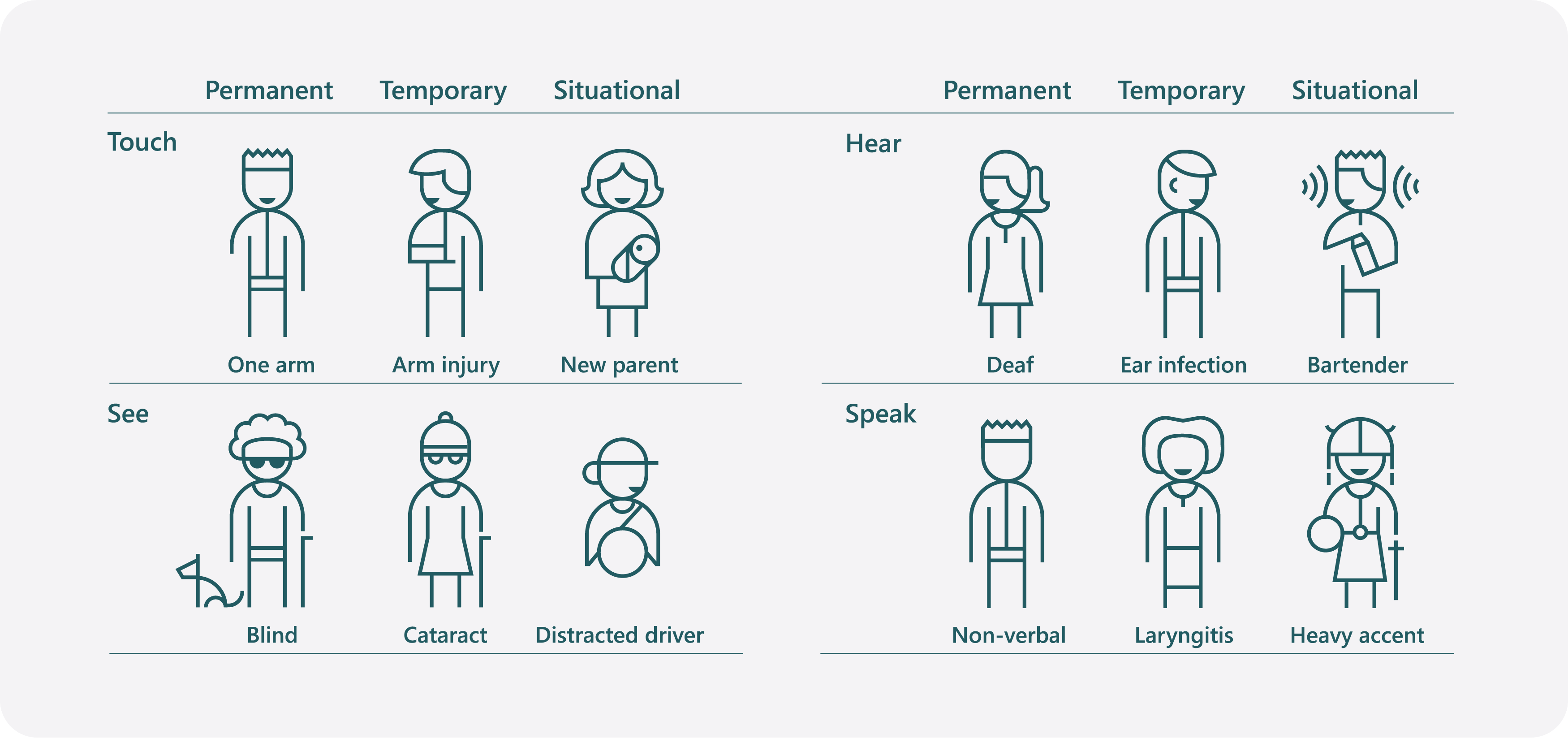
Source: Inclusive Design | Microsoft
Understanding Access Barriers
An access barrier is something that stops or slows down people with disabilities from using a website or any digital content.
Common Examples
- Insufficient color contrast
- Lack of keyboard navigation
- Missing alt text for images
- Complex or unclear language
Creating Accessibile Content
Everyone accesses content differently. When state employees learn how to create and practice creating accessible content, the State of New Jersey can meet legal requirements and ensure a seamless user experience for all.
To better understand how people with disabilities navigate the web, test your website or application using only a keyboard. Try navigating pages with keyboard shortcuts or composing an email in Outlook without a mouse. Find additional guidance resources below.

Resources & Tools
Back
to top